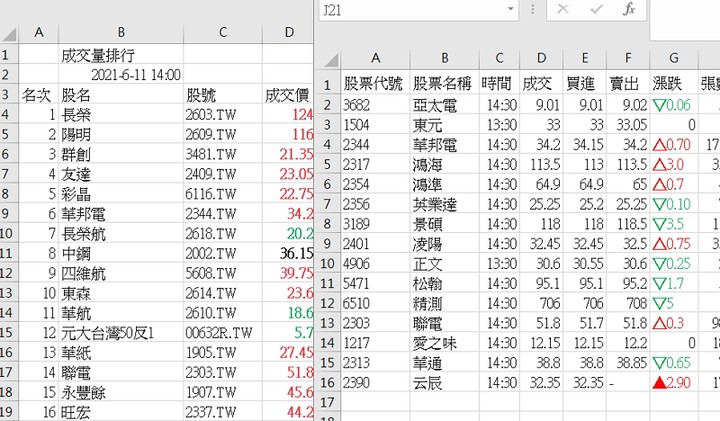
https://tw.stock.yahoo.com改版,大部份的資料都改成json格式
這方面 finance.yahoo.com 的部份網頁,也是相同格式
例如:https://finance.yahoo.com/quote/AAPL/financials?p=AAPL
但不確定是什麼時候改版,因為上次寫finance範例是2017年
範例網址
https://tw.stock.yahoo.com/rank/volume
當日行情=>成交量排行=>即時行情排行
裡面的18(6x3)頁資料
成交量、漲幅、跌幅、價差、成交價、成交金額
(合併、上市、上櫃)
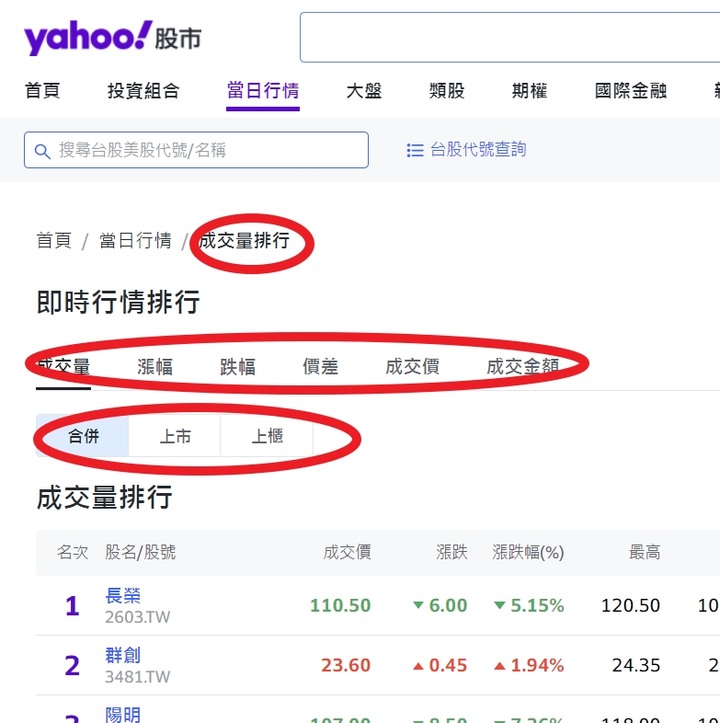
雖然18頁資料,各有不同的網址,不理json用剪貼薄解決也行
但是會出現一個問題,資料全部是正數,不知是正還是負
因為yahoo用圖案代替正負號,使得漲跌無法複製
所以還是需要靠解析json 才行
這邊要注意的是,json資料,是混在網頁原始碼裡面
json 資料都放在原始碼中root.App.main 後面
(但目前是改版時期,也許一段時間後,會有獨立的json網址可用)
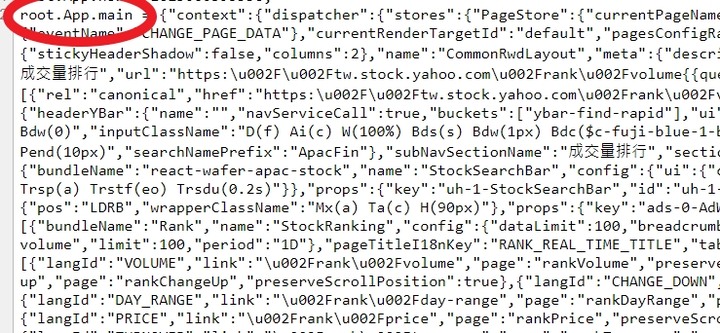
需先從.responsetext,分類出來,還原成格式標準的純json資料
才能用程式碼做解析,不然就要改用regexp來拆解文字,很麻煩的
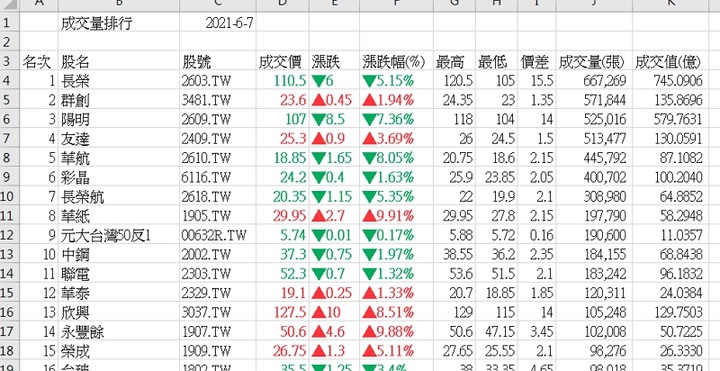
'程式碼放module(模組)裡,執行main()副程式
'因語法衝突,部份程式碼無法顯示,改用圖片代替文字,或請直接看附檔
'空白活頁薄需先手動建立18個工作表(名稱如下)
'volume_ALL、volume_TAI、volume_TWO、change-up_ALL、change-up_TAI、change-up_TWO'
'change-down_ALL、change-down_TAI、change-down_TWO
'day-range_ALL、day-range_TAI、day-range_TWO
'price_ALL、price_TAI、price_TWO、turnover_ALL、turnover_TAI、turnover_TWO
'(名稱可自行修改,但程式碼也需做適當的修改)
Sub main()
Dim i As Integer, j As Integer, Url As String, sheet_name As String, urla(), urlb()
'當日行情/成交量排行/即時行情排行
'================================
'成交量(volume)、漲幅(change-up)、跌幅(change-down)、價差(day-range)、成交價(price)、成交金額(turnover)
urla = Array("volume", "change-up", "change-down", "day-range", "price", "turnover")
'合併(ALL)、上市(TAI)、上櫃(TWO")
urlb = Array("ALL", "TAI", "TWO")
Application.ScreenUpdating = False
For i = 0 To 5
For j = 0 To 2
Url = "https://tw.stock.yahoo.com/rank/" & urla(i) & "?exchange=" & urlb(j)
sheet_name = urla(i) & "_" & urlb(j)
If checksheet(sheet_name) = True Then
Call GET_Yahoo_TW_Rank(Url, sheet_name)
Else
Debug.Print sheet_name & " ???"
End If
'Delaytick (0.5)
Next j
Next i
Application.ScreenUpdating = True
'Sheets("volume_ALL").Select
MsgBox "ok", vbOKOnly, "Report"
End Sub
Sub GET_Yahoo_TW_Rank(Url As String, sheet_name As String)
Dim Xmlhttp As Object, Jsondata As Object, DecodeJson, RankData, temp, i As Integer, ttt As Double
Set Jsondata = CreateObject("HtmlFile")
Set Xmlhttp = CreateObject("WinHttp.WinHttpRequest.5.1")

ttt = Timer
With Xmlhttp
.Open "GET", Url, False
.setRequestHeader "Content-Type", "application/x-www-form-urlencoded"
.setRequestHeader "Cache-Control", "no-cache"
.setRequestHeader "Pragma", "no-cache"
.setRequestHeader "If-Modified-Since", "Sat, 1 Jan 2000 00:00:00 GMT"
.send
End With
temp = "{" & Split(Split(Xmlhttp.responsetext, "{""exchange"":""" & Right(sheet_name, 3) & """}}},")(1), ",""pagination"":{""resultsTotal")(0) & "}}}"
Set DecodeJson = Jsondata.JsonParse(temp)
Set RankData = CallByName(CallByName(CallByName(DecodeJson, "TableStore", VbGet), "main-0-StockRanking", VbGet), "list", VbGet)
With Sheets(sheet_name)
.Cells.Clear
.Range("a3:k3") = Array("名次", "股名", "股號", "成交價", "漲跌", "漲跌幅(%)", "最高", "最低", "價差", "成交量(張)", "成交值(億)")
'點我看大圖(20210916修正2行程式碼,請自行修改附件)

'range("c1") 改成下面這行
.Range("b2") = Replace(Split(CallByName(CallByName(CallByName(CallByName(DecodeJson, "TableStore", VbGet), "main-0-StockRanking", VbGet), "listMeta", VbGet), "rankTime", VbGet), "+")(0), "T", " ")
For i = 0 To 99
Set temp = CallByName(RankData, i, VbGet)
'debug '.Cells(I + 4, 1) = I + 1 & "(" & CallByName(temp, "rank", VbGet) & ")"
.Cells(i + 4, 1) = i + 1
.Cells(i + 4, 2) = temp.symbolName
.Cells(i + 4, 3) = CallByName(temp, "symbol", VbGet)
.Cells(i + 4, 4) = CallByName(temp, "price", VbGet)
.Cells(i + 4, 5) = CallByName(temp, "change", VbGet)
.Cells(i + 4, 6) = "'" & temp.changePercent
If .Cells(i + 4, 5) <> 0 Then
.Range("d" & i + 4 & ":f" & i + 4).Font.Color = IIf(.Cells(i + 4, 5) < 0, RGB(0, 171, 94), RGB(255, 51, 58))
If .Cells(i + 4, 5) < 0 Then
.Cells(i + 4, 5) = Replace(.Cells(i + 4, 5), "-", "▼")
.Cells(i + 4, 6) = Replace(.Cells(i + 4, 6), "-", "▼")
Else
.Cells(i + 4, 5) = "▲" & .Cells(i + 4, 5)
.Cells(i + 4, 6) = Replace(.Cells(i + 4, 6), "+", "▲")
End If
End If
.Cells(i + 4, 7) = temp.dayHigh
.Cells(i + 4, 8) = temp.dayLow
.Cells(i + 4, 9) = temp.dayHighLowDiff
.Cells(i + 4, 10) = temp.volK
'debug '.Cells(i + 4, 11) = temp.turnoverK / 100000 & "(" & temp.turnoverK & ")"
.Cells(i + 4, 11) = temp.turnoverK / 100000
Next i
.Range("K4:k103").NumberFormatLocal = "0.0000_ "
.Range("j4:J103").NumberFormatLocal = "#,##0_ "
.Range("d4:f103").Font.Bold = True
.Cells.EntireColumn.AutoFit
End With
Debug.Print sheet_name & "=" & Timer - ttt & "s"
Set Xmlhttp = Nothing
Set Jsondata = Nothing
Set DecodeJson = Nothing
Set RankData = Nothing
Set temp = Nothing
End Sub
Sub Delaytick(setdelay As Single)
Dim StartTime As Double, NowTime As Double
StartTime = Timer * 100
setdelay = setdelay * 100
Do
NowTime = Timer * 100
DoEvents
Loop Until NowTime - StartTime > setdelay
End Sub
Function checksheet(sheet_name As String) As Boolean
Dim check As Range
On Error Resume Next
Set check = ThisWorkbook.Sheets(sheet_name).Range("a1")
If Err.Number <> 0 Then checksheet = False Else checksheet = True
On Error GoTo 0
End Function
補充:忘了這是即時資料,有資料更新時間比較方便
(是網頁資料更新時間,不是資料下載時間)
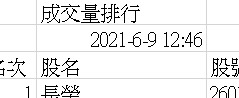
.Range("c1") = Left... ... ... ... 那行程式碼,可修改如下,有需要請自行修改附件
.Range("b2") = Replace(Split(CallByName(CallByName(CallByName(CallByName(DecodeJson, "TableStore", VbGet), "main-0-StockRanking", VbGet), "listMeta", VbGet), "rankTime", VbGet), "+")(0), "T", " ")
(20190916,網頁改版)
=> range("c1")同上
=> range("b2"),請看程式碼內修正後圖片
[點擊下載]