This method was told on Chinese forums many years ago (I guess 2015).
Surprised that I couldn't find any solution in English.
It might be less important now but in case someone still finds it useful.
This is for G6:
https://kknews.cc/photography/q9al9po.html
The ways to make the yellow exclamation mark appear vary from camera to camera.
It's more like a constant service mode instead of the one-off service mode for checking the shutter count.
For GM5:
1. Turn off the camera + SD card inserted.
2. Press Right + Trash + Playback at the same time.
3. Camera on
4. Press Playback.
5. Press Trash + Up at the same time.
6. Turn it off.
7. Turn it back on.
8. Select Spanner > ROM BACKUP > DSC-SD > SD card ejected.
9. Open the file ended with U (i.e.GM5U) on the computer.
10. Search 270f that appears first in the result from the top.
Japanese 0000,0000,270f,6363,270f,6363 (shown originally)
English 0100,0000,270f,6363,270f,6363
Simplified Chinese 0600,0000,270f,6363,270f,6363
Traditional Chinese 0700,0000,270f,6363,270f,6363
(Other hidden languages should be there and yet to be discovered.)
(Don't edit any subsequent strings of numbers you found below except the first string.)
11. Change the first 4 digits in this string of numbers (regardless of which row(s) they are on) > Save.
12. SD card inserted.
13. Select Spanner > ROM BACKUP > SDALL-DSC(FORCE) > Turn it off > Done.
Take the risk of turning it into a bricked one. (I haven't failed so far.^^)
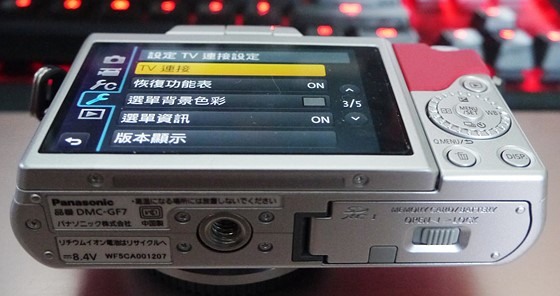
I tried it on the GF7 and it worked as well.